
The short answer: if you want to know how to improve YouTube CTR when impressions are already coming in, start with the thumbnail as it looks on a phone (one subject, strong contrast, three words max), then make the title add something the image doesn't say. Read your click-through rate per traffic source rather than as an average, and test one variable at a time over two weeks.
YouTube is pushing your video, it shows up thousands of times, and yet the click counter barely moves: 2%, maybe 3%. Annoying, but it's actually good news. Visibility isn't the problem. The shop window is, and shop windows can be fixed.
For context: according to YouTube's own help pages, half of all channels and videos sit between 2% and 10% impressions click-through rate. So 2-3% isn't a disaster, it's just the lower end of normal. I won't dwell on definitions. I'd rather show you where to look and what to change.
Anatomy of a thumbnail that gets clicked
Before touching anything, run a quick check: view your thumbnail at the size it appears in a mobile home feed, roughly the width of your thumb. That's where most impressions happen. Then go through these six components.
- One focal point. A face, an object, a result. If the eye jumps between three things, it stops on none of them.
- Contrast that survives at small size. Light subject on a dark background, or the reverse. Squint: if the shape vanishes, the contrast is too weak.
- Three words, tops. Text should be readable in half a second. Beyond that it turns into a smudge.
- An emotion or a tension. A surprised face, a before/after, an arrow pointing at a detail. Something that raises a question.
- A clear bottom-right corner. The video length sits there and hides whatever you put underneath.
- Consistency with your channel. Same font families and color grading, so subscribers recognize your video before they read a word.
If your thumbnail fails two or more of these, that's probably where your clicks are leaking.
Title + thumbnail pairing formulas
Viewers read the thumbnail and title together, in a split second. The most common mistake is making them say the same thing. These four formulas split the job between them.
| Formula | Thumbnail shows | Title says |
|---|---|---|
| Promise + proof | The end result, clearly visible | How you get there |
| Question + clue | An intriguing detail, zoomed in | The question that detail raises |
| Before / after | Both states side by side | The timeframe or the method |
| Stakes + person | An expressive face | What's at stake, with a number if possible |
A handy rule: if you can cover the title and still fully understand the video from the thumbnail, add curiosity to the title. If you can cover the thumbnail and lose nothing, the image needs to carry more weight.
Increase click-through rate on YouTube by reading it per traffic source
An average CTR of 2.5% can hide very different situations. In YouTube Studio, filter impressions click-through rate by traffic source. Each source tells its own story.
| Source | What a weak CTR usually means | Main lever |
|---|---|---|
| YouTube search | The title doesn't match what people typed | Rewrite the title around the search wording |
| Browse (home feed) | The thumbnail doesn't pop in a busy feed | Contrast, focal point, emotion |
| Suggested videos | Your thumbnail doesn't complement the video being watched | Stand out visually from the neighboring video |
| Notifications | Subscribers aren't hooked by the topic anymore | Topic angle, channel consistency |
The key takeaway: low CTR on Browse with lots of impressions is the most common case, and it's where a thumbnail change has the biggest impact. Low CTR in search is more often a title issue.
6 mistakes that kill your CTR
- Relying on text. A full sentence on the thumbnail repeats the title and can't be read on mobile.
- Changing things every week without measuring. You'll never know what worked.
- Judging after 24 hours. Early numbers mostly come from subscribers, not the broader audience.
- Copying your niche's trend. When every thumbnail looks the same, yours disappears.
- Promising what the video doesn't deliver. Clicks go up, retention drops, and YouTube ends up recommending it less.
- Forgetting old videos. People polish the latest upload while the back catalog often holds videos with plenty of impressions and few clicks.
That last one deserves its own article, which is why I wrote a guide on how to revive an old YouTube video.
A 2-week routine to improve YouTube CTR
Here's the approach I recommend to get out of the 2-3% zone without spreading yourself thin.
- Days 1-2: diagnose. List your 10 videos with the most impressions over the last 28 days and note their CTR per source.
- Day 3: shortlist. Keep the 3 videos with high impressions and a CTR below your channel average.
- Days 4-5: redesign. Run each thumbnail through the six-component check and pick a title + thumbnail formula.
- Days 6-13: test. Run one variant at a time. YouTube's free "Test & Compare" tool accepts up to 3 thumbnails (and titles), on desktop only, for channels with advanced features enabled. Don't change anything else during the test.
- Day 14: decide. Keep the winner, write down what changed and apply the lesson to your next uploads.
One thing to know: Test & Compare picks the winner based on watch time share, not click-through rate alone. That's reasonable, but worth keeping in mind. I compared the native tool with an automated option in Test & Compare or Reflare.
Scaling it across your whole catalog with Reflare
The routine above works nicely for three videos. It gets heavy when you have 200. That's the exact problem Reflare is built to solve.
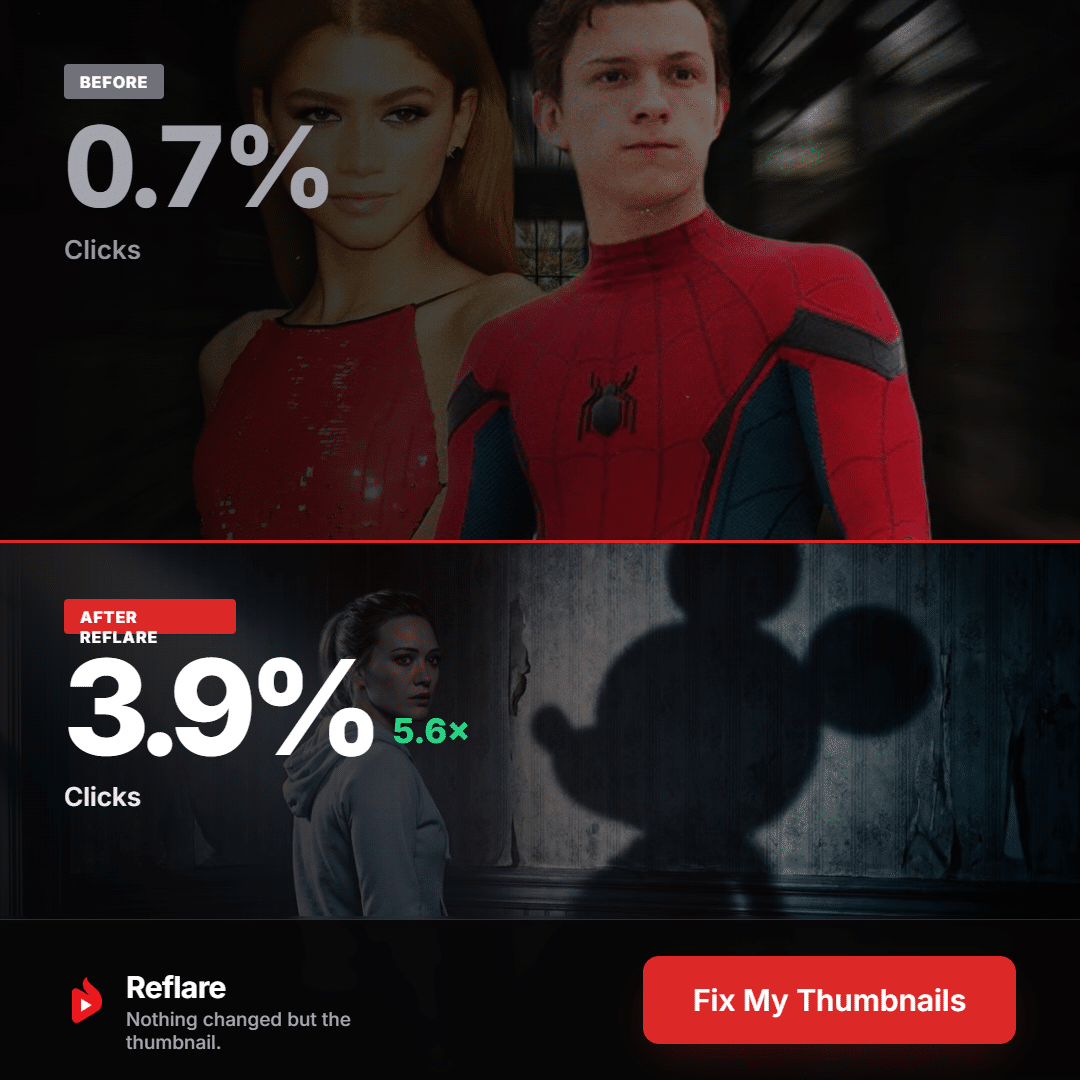
Created by French YouTuber Hardisk, the tool connects to your channel through the official YouTube API (with revocable Google sign-in) and does three things:
- Smart Discovery scores every video's potential based on daily impressions, click-through rate and retention, flagging what it calls "sleeping giants". In other words, the diagnose and shortlist steps of my routine, done across the entire catalog.
- Context Aware AI generates thumbnails in your channel's style (fonts, color grading, framing, subject), drawing on your best existing thumbnails. You approve every one before it goes live.
- Auto A/B Testing rotates the variants, tracks results daily and locks in the winner once the gap is significant.
The publisher shares an example of a video going from 0.7% to 3.9% CTR with only the thumbnail changed. That's an official example, not a promise: the terms of service guarantee no results. Pricing starts at $49 per month excl. tax for Creator (1 channel, 60 thumbnails), then $99 for Pro and $299 for Studio. Shorts, Premieres and scheduled live streams aren't supported.
For my full take (strengths, limits, subscription terms), read my Reflare review. If you want to try it, code AUXANO takes 10% off your first payment, details on the Reflare coupon code page. Or simply try Reflare here.
Tested solution Improve CTR across your whole catalogOn-brand AI thumbnails and automatic A/B testing. Code AUXANO: 10% off your first payment
Try Reflare →No commitment, cancel from your dashboard
Improve CTR across your whole catalogOn-brand AI thumbnails and automatic A/B testing. Code AUXANO: 10% off your first payment
Try Reflare →No commitment, cancel from your dashboard
FAQ: how to improve YouTube CTR
What CTR should I aim for on YouTube?
YouTube says half of all channels land between 2% and 10%. Rather than chasing an absolute number, compare each video to your own channel average and to its traffic source.
How long does it take to improve a video's YouTube CTR?
Allow at least one to two weeks of testing per variant. Judging after a day skews the picture, because early clicks mostly come from subscribers.
Should I change the title or the thumbnail first?
Check the source: weak CTR on Browse points to the thumbnail, weak CTR in search points to the title. Change only one element at a time.
What makes a YouTube thumbnail clickable?
A single focal point, strong contrast, three words at most and a visible tension, all still readable at thumb size on a phone.
Can Reflare increase click-through rate on my old YouTube videos?
That's its main use: it spots high-potential videos, suggests on-brand thumbnails and tests them automatically. Results vary by channel and aren't guaranteed.