
The short answer: for a YouTube thumbnail A/B test on a fresh upload, start with YouTube's free Test & Compare. It shows your variants side by side at the same time, which is the cleanest method available. A paid tool only makes sense when you want to revive a large back catalogue without spending your evenings in YouTube Studio. For that job, Reflare is the most complete option, from $49 a month excl. tax.
So YouTube now has a built-in thumbnail tester, and you are wondering whether paying for a third-party tool adds anything. Fair question. I want to start with method rather than software, because a badly designed test gives you a confident wrong answer no matter which tool runs it.
How to run a YouTube thumbnail A/B test properly
Think of it as an experiment. Change several things at once or stop too early and your "winner" is just noise. These are the rules I stick to.
- Change one thing only. During the test, the thumbnail is the only variable. No new title, no rewritten description, no big social push halfway through.
- Test genuinely different ideas. Three near-identical versions with the arrow nudged a few pixels will teach you nothing. Compare concepts: close-up face vs product only, short text vs no text, bright vs dark background.
- Give it enough impressions. A video that gets few impressions per day needs longer to separate its variants. A slower, reliable result beats a fast verdict built on a few hundred views.
- Hands off until the end. Editing a variant mid-test effectively resets it, even if the tool does not say so.
For context, YouTube's own help pages say half of all channels and videos sit between 2% and 10% impressions click-through rate. If CTR is your main worry, my guide on how to improve YouTube CTR covers the practical levers.
Your 4 options at a glance
| Tool | Price | Method | Best for |
|---|---|---|---|
| YouTube Test & Compare | Free | Variants shown in parallel | New uploads, one-off tests |
| ThumbnailTest | Paid | Thumbnail rotation | New uploads |
| TubeBuddy | Depends on plan | A/B inside a wider toolkit | Creators already on TubeBuddy |
| Reflare | $49 to $299/month excl. tax | Automated sequential rotation via the official API | Reviving an existing catalogue |
A few access conditions on the native tool. Test & Compare lets you test up to 3 thumbnails (titles were added later, after thumbnails). You need YouTube Studio on desktop and advanced features switched on, which means phone verification plus ID or channel history. It does not work on private videos or Shorts.
What each tool actually optimises for
Most comparisons skip this, but it matters: these tools measure different things, so they will not always crown the same winner.
YouTube: share of watch time
Test & Compare picks the variant that earns the largest share of watch time, not the highest CTR. A clickbait thumbnail can pull more clicks and still lose because viewers bail early. I think that is a sensible rule, since it protects retention. And because all variants are shown at the same time to comparable audiences, the result is not skewed by a Tuesday traffic spike or a video that went viral the day before. Methodologically, it is the cleanest setup of the four.
ThumbnailTest and TubeBuddy: back-to-back periods
Rotation tools show one thumbnail, then the next, and compare the periods. Handy, but each period has its own context (weekday, season, recommendations). Before subscribing, check which metric decides the winner and what your plan includes, especially on TubeBuddy where A/B testing depends on the tier.
Reflare: daily views recovered
Reflare starts from a different goal: getting sleeping videos moving again. Smart Discovery scores your whole catalogue (daily impressions, CTR, retention) to surface "sleeping giants". Its AI then drafts thumbnails in your channel's style, you must approve every one, and the test runs as a sequential rotation with daily tracking. The winner is locked in once the gap is significant, and the test stops when views pick back up. To counter the bias of back-to-back periods, the company says it uses a probabilistic method developed with Google to isolate the views genuinely caused by the test. I cover the rest in my full Reflare review.
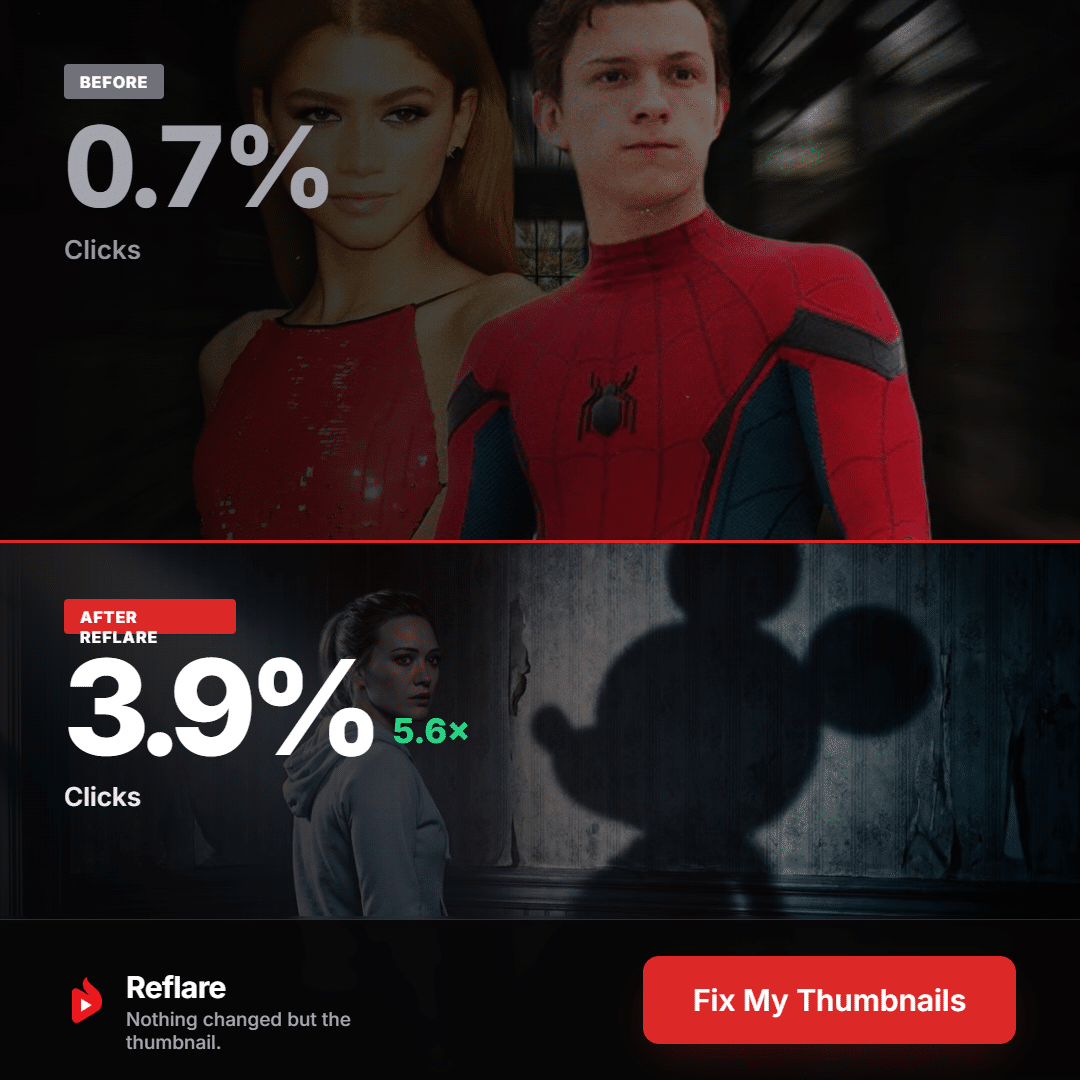
The official example above shows CTR going from 0.7% to 3.9% with only the thumbnail changed. That is the company's example, not a promise: the terms guarantee no results.
Which tool should you pick? A quick decision tree
Stop at the first line that describes you.
- Launching a new video and choosing between 2 or 3 thumbnails? Use Test & Compare. Free, reliable, built into Studio.
- Fewer than 20 videos on the channel? Stay native. You do not have a catalogue to revive yet, and a monthly plan would be hard to pay back.
- Already paying for TubeBuddy? Check whether your plan includes A/B testing before adding another subscription.
- Large catalogue of older videos that have flatlined? This is where paying makes sense. Picking which videos to revive, designing thumbnails and babysitting dozens of tests by hand does not scale, and Reflare automates all three. If that sounds like you, read my walkthrough on how to revive an old YouTube video.
- Managing several channels (agency or network)? Look at multi-channel plans: Reflare Pro covers 3 channels and 200 thumbnails for $99 a month, Studio covers 10 channels and 600 thumbnails for $299 (excl. tax).
You can also mix: the native tool for every new release, Reflare for the back catalogue.
Common mistakes when reading results
- Treating CTR as the verdict. On YouTube, the winner can have a lower CTR if it holds viewers longer. That is by design.
- Calling it after two days. An early lead is often noise. Wait for the tool's verdict.
- Over-generalising. A winning style on a tutorial says little about your vlogs. Log results by format.
- Ignoring outside events. A bigger channel linking to your video mid-test distorts a sequential rotation.
- Crediting the thumbnail for everything. If you also changed the title, you will never know which one worked.
YouTube Test & Compare vs Reflare: my verdict
For most creators, the native YouTube thumbnail A/B test is enough on new uploads, and there is no point paying to do the same thing less cleanly. Reflare earns its price when your real problem is a catalogue that has gone quiet. It was built by YouTuber Hardisk (Henri Griesmar, 796K subscribers), connects through revocable Google OAuth, and the company reports an average of 2x daily views on treated videos, with no guarantee. Creator costs $49 a month excl. tax (1 channel, 60 thumbnails). If you want to try it, check out Reflare with code AUXANO for 10% off your first payment. The details are on my Reflare coupon code page.
Tested solution Wake up your old videosCode AUXANO: 10% off your first payment, about $44 for the first month on Creator
Try Reflare →No lock-in, cancel from your dashboard
Wake up your old videosCode AUXANO: 10% off your first payment, about $44 for the first month on Creator
Try Reflare →No lock-in, cancel from your dashboard
FAQ: YouTube thumbnail A/B test
Is YouTube Test & Compare really free?
Yes. You just need YouTube Studio on desktop and advanced features enabled on your channel.
How many thumbnails can I test at once?
Up to 3 with YouTube's native tool. Reflare generates and rotates variants for you, within your plan's thumbnail allowance.
Why didn't my highest-CTR thumbnail win?
Because YouTube picks the winner by share of watch time, not click-through rate.
Can I run a YouTube thumbnail A/B test on a Short?
No. Neither Test & Compare nor Reflare supports Shorts.
YouTube Test & Compare vs Reflare: which is more reliable?
For a single test, the native tool, thanks to simultaneous exposure. Reflare is more useful for choosing, creating and testing at scale across an older catalogue.