
The short answer: to revive an old YouTube video, don't delete it and don't change everything at once. Pick a video that still gets impressions but has a weak click-through rate, swap the thumbnail first (the title second), and give each version enough time to be compared fairly. Once dozens of old YouTube videos need this treatment, a tool like Reflare can automate the sorting and testing.
You have 50, 100, maybe 300 long videos online. Some of them took you weeks. And yet your back catalogue now brings in a trickle of views, if that. I get the frustration: there is no time to redo everything, and you did not start a channel to become a spreadsheet analyst.
Here is the good part. An old video rarely stops getting views because it is bad. Much more often, it is stuck because of a handful of very common mistakes. I will walk you through them first, then give you a short routine you can run on one video at a time.
5 mistakes that stop you from reviving an old YouTube video
Mistake 1: picking the video on gut feeling
Everyone wants to rescue their favourite upload. That is the wrong filter. The video worth reviving first is the one YouTube is still showing (it gets impressions) but that nobody clicks. A video with zero impressions is far harder to wake up.
Mistake 2: changing everything in one evening
New thumbnail, new title, new description, new tags, all at once. If views climb, you will never know why. If they drop, same problem. Change one thing at a time, starting with the thumbnail, because it is the first thing a viewer sees.
Mistake 3: judging after 24 hours
An old video gets fewer impressions than a fresh upload, so the numbers need longer to mean anything. Checking the next morning and reverting everything is the fastest way to learn nothing.
Mistake 4: keeping a thumbnail from another era
Your style has moved on; your old thumbnails have not. Text that is unreadable on a phone, no face, flat colours: the video no longer looks like your channel. Returning viewers do not recognise it, and new viewers do not see why they should care.
Mistake 5: deleting and re-uploading
This is the most expensive mistake of the five, so it gets its own table below.
The 15-minute YouTube Studio checklist
No spreadsheet required. Open YouTube Studio, pick one video, and follow these timed steps.
- Minutes 0 to 3: impressions. Open the video's Analytics, then the Reach tab. If it still gets impressions every day, it is a candidate. If not, move on.
- Minutes 3 to 6: click-through rate. Compare it with the rest of your channel. For context, YouTube's help centre says half of all channels and videos sit between 2% and 10% impressions CTR. A rate well below your own average points to a packaging problem (thumbnail or title).
- Minutes 6 to 9: retention. Open the Engagement tab. If people stay, the content delivers and the shop window is what needs work. If most leave in the first 30 seconds, the title may promise something the video does not.
- Minutes 9 to 12: the thumbnail. Look at it tiny, the way it shows on a phone. Can you tell the topic in one second? Does it look like your recent thumbnails that perform?
- Minutes 12 to 15: start a test. Prepare two or three variants and launch a test with YouTube's native Test & Compare (I break down its limits in my Test & Compare vs Reflare comparison). Write down the start date.
If you want to go deeper on thumbnails and titles, I collected the main levers in my guide to improving your YouTube CTR.
Re-upload or update an old YouTube video? Decision table
| Situation | Update it | Re-upload |
|---|---|---|
| Still gets impressions, low CTR | Yes, thumbnail then title | No, you lose the video's history |
| Content is fine, only the packaging aged | Yes | No |
| Information is now wrong (prices, software, rules) | Yes, if a pinned comment or card is enough | Yes, as a new video, keeping the old one live |
| Audio or picture is genuinely unwatchable | Rarely enough | Yes, as a new version |
| Video has comments and external links pointing to it | Yes, always | No, you break the links and lose the comments |
The simple rule: deleting a video wipes its views, comments and history. When in doubt, update. If you truly remake the content, publish it as a new video and leave the old one up.
What to do by video type
Tutorials
Often your best candidates, because search keeps sending people to them. Show the end result in the thumbnail, and check that the title is still accurate if the software's interface has changed.
Product reviews
If the product is still on sale, the video still has value. Make the product clearly visible in the thumbnail. If a newer model exists, say so in a pinned comment instead of re-uploading.
Entertainment and vlogs
Everything here runs on emotion and curiosity. This is the format where testing several thumbnails makes the most sense, because there is no obvious "right answer".
News
Honestly, a dated news video is hard to bring back. Save your energy unless the topic returns to the headlines.
When to automate reviving old YouTube videos with Reflare
The checklist works well for five videos. For 150, it means whole days of work, plus daily check-ins to follow each test. That is precisely the gap Reflare was built for. It was created by Hardisk (Henri Griesmar), a French YouTuber with 796K subscribers, together with co-founder Nicolas Sénécal.

In practice, it covers the same steps as my checklist:
- Smart Discovery scores your whole catalogue on potential (daily impressions, click-through rate, retention) and surfaces the "sleeping giants".
- Context Aware AI generates thumbnails in your own style (fonts, colour grading, framing, subject), based on your best existing thumbnails. You approve every image before it goes live.
- Auto A/B Testing rotates the variants one after another through the official YouTube API, tracks results daily, locks in the winner once the gap is significant, and stops when views pick up again.
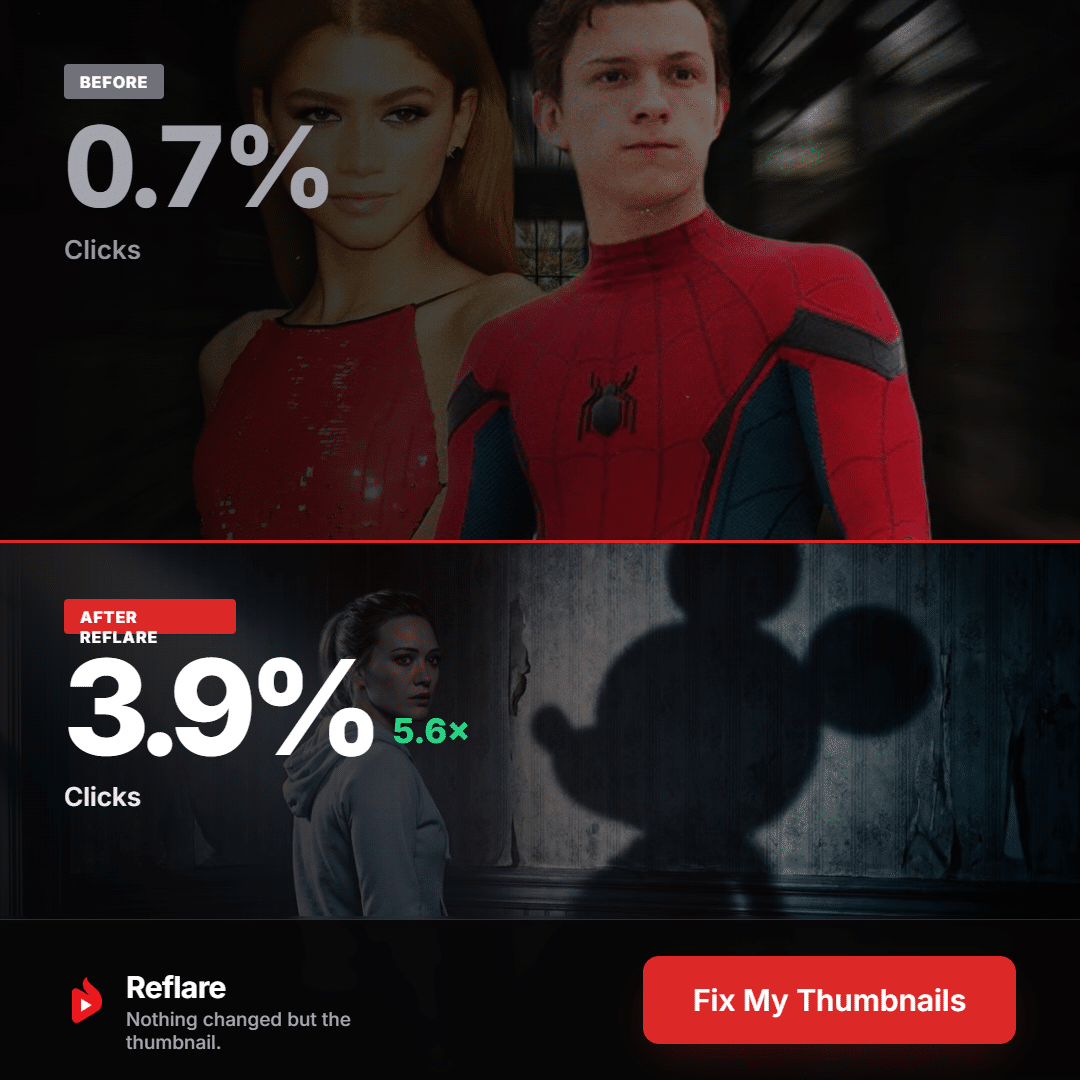
The official example above shows CTR going from 0.7% to 3.9% with only the thumbnail changed. That is the publisher's example, not a promise: the terms of sale guarantee no results. Also note that Reflare does not handle Shorts, Premieres or scheduled live streams.
A simple ROI example
Here is a hypothetical, so plug in your own numbers. One video gets 500 views a day and doubles (the publisher claims 2x daily views on average). That is 500 extra views a day, around 15,000 a month. At $3 per 1,000 views, that is about $45 a month from a single video, close to the Creator plan at $49 excl. tax. If two or three videos respond, the tool has paid for itself. If none do, you cancel from the dashboard.
Pricing: Creator $49/month excl. tax (1 channel, 60 thumbnails), Pro $99 (3 channels, 200 thumbnails), Studio $299 (10 channels, 600 thumbnails). My full take, weak points included, is in my Reflare review.
Tested solution Revive your old videos without giving up your eveningsCode AUXANO: 10% off your first payment
Try Reflare →No commitment, cancel from the dashboard
Revive your old videos without giving up your eveningsCode AUXANO: 10% off your first payment
Try Reflare →No commitment, cancel from the dashboard
FAQ: reviving an old YouTube video
How long does it take to revive an old YouTube video?
Allow at least several days per variant, because an older video gets fewer impressions. Judging after 24 hours will not give you a reliable answer.
Should I delete and re-upload old YouTube videos that are not getting views?
Almost never. Deleting wipes the views, comments and history. Update the thumbnail and title instead, or publish a new version while keeping the old one live.
Thumbnail or title first?
Thumbnail first, since it is what viewers see first. Move on to the title only if the thumbnail alone is not enough, and never change both at the same time.
Is YouTube's Test & Compare enough?
For a few videos, yes: it is free and tests up to 3 thumbnails. But it only works on desktop, requires advanced features to be enabled, and you launch it video by video.
Is there a Reflare coupon code?
Yes, the code AUXANO gives 10% off your first payment. Check the order summary before confirming, especially on an annual plan. Details on the Reflare coupon code page.